

Most small businesses hear about AI agents from software vendors and from headlines, and neither source is neutral. This guide is for the owner or manager who wants a plain answer: what is an AI agent, is it useful for a business your size, and what could go wrong?
We build AI agents for clients, so we are not impartial. We will say where an agent is a poor idea, because a wrong fit costs you more than it costs us.
What an AI agent is, and how it differs from a chatbot
A chatbot answers. You type a question, it replies, and that is the end of its job. Many chatbots follow scripted paths or simply produce text.
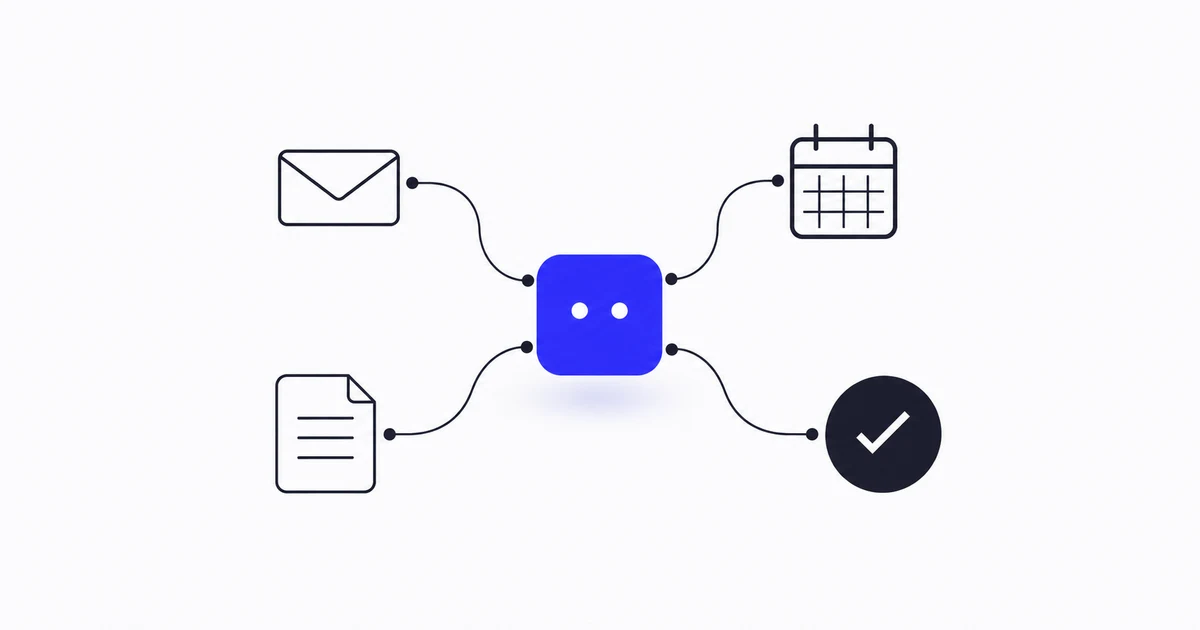
An AI agent acts. It is given a goal, access to specific tools and data, and rules about what it may do. It can look something up, decide what step comes next, use a tool such as your helpdesk, calendar or spreadsheet, and report back. The difference is the connection to your real systems and the ability to carry out a task in several steps.
A simple way to see it:
- Chatbot: "Your order usually ships in two working days." (general text)
- Agent: looks up the customer's actual order in your system, sees it is delayed, drafts a reply with the correct status and flags it for a person to approve.
Agents still make mistakes, and the line between the two is not always sharp. Some products sold as agents are chatbots with a few extras. Ask any vendor to show the agent completing a real task, not describing one.
Realistic uses for a small business
The best early uses are boring, repeated and low in risk. Examples that fit most small businesses:
- Answering routine customer questions. Opening hours, delivery status, returns policy, how to book. An agent that reads your own documents and order data can handle these and pass anything unusual to a person.
- Sorting incoming messages. Reading emails or form submissions, labelling them (quote request, complaint, supplier, spam) and routing them to the right person.
- Drafting, not sending. First drafts of replies, quotes or follow-ups that a person reads and approves.
- Moving data between tools. Copying details from an enquiry form into your CRM or spreadsheet, or turning a completed job into an invoice draft.
- Internal knowledge lookup. Staff ask a question ("what is our refund process for damaged goods?") and get an answer drawn from your own procedures, with the source shown.
- Routine reporting. Pulling figures from several places into a weekly summary that someone checks.
Notice the pattern: each one has a clear input, a clear output and a person who can check the result.
What agents are poor at
- Anything where one wrong answer is costly and nobody reviews it, such as legal advice, medical information or financial commitments.
- Judgement calls that depend on context only you have, like deciding whether to bend a policy for a long-standing customer.
- Work with no clear definition of "done". If you cannot explain what a good result looks like, the agent cannot aim at it.
- Messy or missing data. An agent that reads an out-of-date price list will confidently quote old prices.
Risks and limits to plan for
Wrong answers stated confidently. Language models can produce plausible text that is simply false. The fix is design, not hope: limit the agent to your own verified sources, make it show where an answer came from, and have it hand over to a person when it is unsure.
Too much access. Give an agent the least access it needs to do its job. Read-only access to orders is very different from permission to issue refunds. Start with the first.
Actions you cannot undo. Sending an email, deleting a record or paying an invoice cannot be pulled back. Keep a human approval step on anything irreversible until you have watched the agent behave well for a while.
Quiet failure. Agents do not usually crash. They drift, and you find out when a customer complains. Log what the agent did, and have someone read a sample regularly.
Dependence on third parties. Most agents rely on an outside AI model provider. Prices, terms and behaviour can change. Ask how the agent could be moved to another provider if it had to be.
Data privacy: the questions to ask first
When an agent reads your customer or staff data, that data is processed by software, and often sent to a model provider. Before you start:
- What data will the agent see? Keep it to what the task needs. Do not feed it everything because it is convenient.
- Where does the data go, and who processes it? Get the model provider and hosting arrangement in writing.
- Is your data used to train anyone's model? Ask directly, and get the answer in the contract.
- How long is it kept, and can it be deleted?
- Who is responsible under the data-protection rules that apply to you? In the UK and EU that means UK GDPR or GDPR, and in other places the local equivalent. If you are unsure, ask a qualified adviser. We cannot give legal advice in a blog post.
Never paste sensitive customer data into a public AI tool as a shortcut. Use an arrangement that has proper terms.
How to start small
- Pick one task. Choose something repeated, low-risk and easy to check. Answering the five most common customer questions is a good first job.
- Write down what "good" looks like. Ten real examples of the task done properly are worth more than a long description.
- Keep a person in the loop. Let the agent draft and suggest. A human approves until the results have earned trust.
- Limit its access. Read-only first. Add permissions one at a time.
- Run it alongside your current process for a few weeks. Compare its output with what your team would have done.
- Measure with your own numbers. Time saved, mistakes caught, questions handled. Use your own figures, not a vendor's promises.
- Expand only after it works. Add the second task once the first is reliable.
If something does not work, you have lost a small experiment, not a whole programme. That is the point of starting small.
Build, buy or ask for help?
Off-the-shelf AI tools are fine for simple needs such as drafting text or summarising a document. An agent that works with your own systems, rules and data usually needs some custom work, because it has to connect to your tools and follow your procedures. That is where we come in: AI agent development covers workflow automation, knowledge and support agents, and tool integration, and we quote each project per requirement.
If you are comparing options, our post on how to evaluate business software before you commit applies equally well here: test on your own data, with your own staff, before paying for anything. And if the real problem is that your information sits in scattered files, an agent will not fix that. Sorting out your data first, as covered in replacing five spreadsheets with one system, often does more good.
To talk through a specific task, contact us. Describe what you want done, and we will tell you honestly whether an agent is the right tool.
FAQ
What is an AI agent in simple terms?
It is software that is given a goal and access to certain tools and data, then carries out the steps itself, such as looking up an order and drafting a reply. A chatbot only answers questions, while an agent can take actions in your systems within limits you set.
Is an AI agent the same as a chatbot?
No. A chatbot produces replies. An agent connects to your systems, makes decisions across several steps and takes actions. Some products blur the two, so ask to see a real task completed.
Can a small business really use AI agents?
Yes, for narrow, repeated tasks with clear results, like sorting enquiries, answering routine questions or moving data between tools. It is less suited to work that needs careful judgement or has no review step.
Are AI agents safe to use with customer data?
They can be, if you limit what they can see, understand where the data is processed, confirm in writing that it is not used for model training, and keep a person approving sensitive actions. Check the rules that apply to you and take advice if unsure.
How do I start without a big budget?
Choose one low-risk task, define what a good result looks like, keep a person approving the output, and run the agent next to your current process for a few weeks. Only expand when it has proved itself.
Do I need to replace my existing software?
Usually not. A well-built agent connects to the tools you already use. The exception is when your data is too scattered or inconsistent for anything to read reliably, in which case that comes first.